
Introduction
Streaming services have transformed the way people watch television, and Sling TV has become one of the most popular options for cord-cutters. If you’re considering switching from traditional cable to a more flexible streaming solution, one of the first questions you might ask is: what devices support Sling TV? Understanding device compatibility is essential before subscribing, as it determines how and where you can enjoy your favorite shows, live channels, and on-demand content.
Sling TV offers impressive flexibility by supporting a wide range of devices, from smart TVs to smartphones and gaming consoles. This means you can watch content at home on a big screen or on the go using a mobile device. However, not all devices work equally well, and some may have limitations depending on software versions or hardware capabilities.
In this guide, we’ll explore everything you need to know about Sling TV compatibility. You’ll learn which devices support Sling TV, how to set them up, and how to avoid common mistakes. Whether you’re a beginner or someone with some streaming experience, this article will help you make the most out of your Sling TV subscription.
What is Sling TV?
Sling TV is a live TV streaming service that allows users to watch television channels over the internet instead of traditional cable or satellite connections. It offers a variety of channel packages, including news, sports, entertainment, and lifestyle content.
Unlike cable TV, Sling TV is contract-free, meaning you can cancel anytime without penalties. It also provides flexibility in choosing channel bundles, allowing users to customize their viewing experience based on preferences and budget.
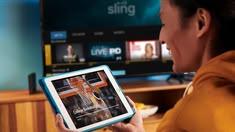
One of the key features of Sling TV is its compatibility with multiple devices. Whether you prefer watching on a smart TV, laptop, tablet, or smartphone, Sling TV makes it easy to access content across different platforms.
Why is Sling TV Device Compatibility Important?
Understanding what devices support Sling TV is crucial for a smooth streaming experience. Not all devices deliver the same performance, and compatibility directly affects video quality, app functionality, and ease of use.
Here’s why it matters:
First, it ensures you can access Sling TV on your preferred screen. If your device is unsupported, you may need to invest in additional hardware like a streaming stick.
Second, compatibility affects performance. Newer devices typically offer better streaming quality, faster loading times, and fewer interruptions.
Third, knowing compatible devices helps avoid frustration during setup. It ensures you download the correct app and follow the right installation process.
Finally, it allows you to maximize value. By using supported devices, you get the full range of features, including live TV, cloud DVR, and on-demand content.
Detailed Step-by-Step Guide
Step 1: Check Device Compatibility
Before subscribing, confirm that your device supports Sling TV. Here are the main categories:
Smart TVs:
- Samsung Smart TVs (2016 and newer)
- LG Smart TVs (WebOS 3.0 and above)
Streaming Devices:
- Amazon Fire TV and Fire Stick
- Roku devices
- Apple TV (4th generation and later)
- Chromecast
Mobile Devices:
- Android smartphones and tablets
- iPhones and iPads
Computers:
- Windows PCs via web browser
- Mac computers via web browser
Gaming Consoles:
- Xbox One and newer models
Step 2: Install the Sling TV App
Once you confirm compatibility, download the Sling TV app:
- Open your device’s app store
- Search for “Sling TV”
- Click install or download
- Wait for installation to complete
For computers, simply visit the Sling TV website and log in using a supported browser.
Step 3: Create or Log Into Your Account

- Open the Sling TV app
- Enter your login credentials
- If you don’t have an account, sign up and choose a subscription plan
Make sure your internet connection is stable during this process.
Step 4: Customize Your Settings
After logging in:
- Select your preferred channels
- Set up parental controls if needed
- Configure streaming quality settings based on your internet speed
Step 5: Start Streaming
Once everything is set up:
- Browse live channels or on-demand content
- Use the search feature to find specific shows
- Enjoy streaming on your chosen device
Benefits of Sling TV Device Support
- Wide compatibility with various devices
- Flexibility to watch anywhere
- Easy setup process
- No need for cable hardware
- Supports multiple users and screens
- Regular app updates for improved performance
- Affordable compared to traditional cable
Disadvantages / Risks
- Older devices may not be supported
- Performance depends on internet speed
- Some features vary by device
- Occasional app glitches or bugs
- Limited availability on certain gaming consoles
- Requires regular software updates
Common Mistakes to Avoid
One common mistake is assuming all smart TVs support Sling TV. Always check the model and operating system version before subscribing.
Another mistake is ignoring software updates. Outdated firmware can cause compatibility issues or prevent the app from working properly.
Many users also overlook internet requirements. Sling TV needs a stable connection, so using it on slow networks can lead to buffering.
Additionally, some people forget to log out from unused devices, which may affect streaming limits.
Finally, not exploring device settings can reduce performance. Adjusting resolution and playback options can significantly improve the experience.
FAQs
1. Can I watch Sling TV on any smart TV?
No, not all smart TVs support Sling TV. Only specific models, such as newer Samsung and LG TVs, are compatible. Always check your TV’s specifications.
2. Does Sling TV work on Android devices?
Yes, Sling TV supports most Android smartphones and tablets. Make sure your device runs a recent version of Android for the best experience.
3. Can I use Sling TV on multiple devices?
Yes, Sling TV allows streaming on multiple devices, but the number of simultaneous streams depends on your subscription plan.
4. Is Sling TV available on gaming consoles?
Sling TV is available on Xbox One and newer models, but it is not supported on all gaming consoles.
5. Do I need a streaming device for Sling TV?
Not necessarily. If your smart TV or device supports Sling TV, you don’t need extra hardware. Otherwise, you can use devices like Roku or Fire Stick.
6. Can I watch Sling TV on my computer?
Yes, you can watch Sling TV through a web browser on both Windows and Mac computers without installing additional software.
Expert Tips & Bonus Points
To get the best experience, use a high-speed internet connection with at least 5 Mbps for standard streaming and 25 Mbps for HD quality.
Consider using a modern streaming device if your TV is older. Devices like Roku or Fire Stick often provide better performance than built-in smart TV apps.
Keep your app updated to access new features and improvements. Developers frequently release updates to enhance compatibility and fix bugs.
Use wired internet connections when possible, especially for smart TVs. Ethernet connections are more stable than Wi-Fi.
If you experience buffering, lower the streaming quality in settings. This can help maintain smooth playback on slower networks.
Lastly, explore Sling TV’s customization features. Tailoring your channel lineup ensures you get the most value from your subscription.
Conclusion
Understanding what devices support Sling TV is essential for anyone planning to switch to a streaming-based entertainment system. With compatibility across smart TVs, streaming devices, mobile phones, computers, and even gaming consoles, Sling TV offers flexibility that suits modern viewing habits.
However, not all devices perform equally, and choosing the right one can significantly impact your experience. By checking compatibility, keeping your software updated, and ensuring a stable internet connection, you can enjoy seamless streaming without interruptions.
Sling TV continues to evolve, adding support for new devices and improving performance across platforms. This makes it a reliable choice for both beginners and experienced users looking for an affordable alternative to cable TV.
In the end, the key is to match your preferred viewing style with the right device. Whether you enjoy watching on a big screen at home or streaming on your phone while traveling, Sling TV provides the tools and compatibility needed for a convenient and enjoyable experience.